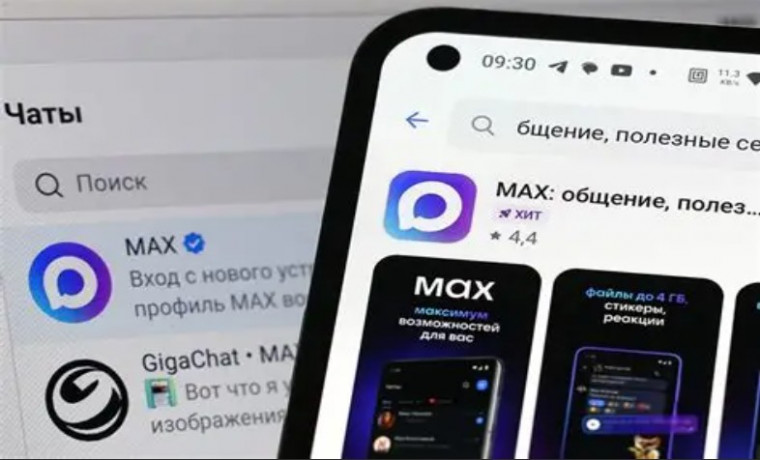
The MAX messenger is rapidly growing and is already becoming one of the key communication platforms in Russia. For businesses, this is the perfect moment to enter the new channel early — and one of the most effective ways to do that is to build a MAX chatbot.
The challenge is that very few platforms and developers can build chatbots for MAX today. MAX has its own integration requirements and API specifics, and there are not many ready-to-use solutions available on the market yet.
That’s why the Botman.one team prepared a complete guide on how to connect your Botman.one services to MAX and launch a fully functional chatbot without complicated development.
Why MAX Messenger Is Becoming a Key Business Channel
Messengers have become the main way people communicate. But MAX is a new major step: its user base is growing fast, and businesses are already moving there for customer support, sales, and marketing automation.
Here’s why MAX chatbots are becoming highly demanded:
- MAX is quickly becoming one of the leading messengers in Russia
- users respond faster in messengers than via email
- businesses need automation for customer service and lead processing
- competition is still low — only a few companies already use MAX bots
Most importantly, launching early gives you a strong competitive advantage while the market is still forming.
Botman.one: The Fastest Way to Build a MAX Chatbot
Botman.one is a platform that allows you to build services and chatbots without coding everything from scratch. You design the logic, build conversation scenarios, connect integrations, and launch your solution.
Now you can connect everything you built to MAX messenger.
What You Can Build with MAX + Botman.one
Once MAX is connected to Botman.one, you can build:
- automated customer support (FAQ, tickets, requests)
- sales and consulting chatbots
- booking and appointment scheduling
- order processing and payments (via integrations)
- lead generation and contact collection
- personalized offers and notifications
- interactive quizzes and step-by-step scenarios
Benefits of MAX Chatbots for Business
In short: a MAX chatbot helps you enter a fast-growing market early.
Key benefits:
1. New market with low competition
Most companies still don’t know how to build chatbots for MAX. This is your chance to be one of the first in your niche.
2. 24/7 automation
Your bot replies to customers day and night, reducing the workload on your support team.
3. Fast launch without expensive development
With Botman.one you can launch faster and cheaper compared to building everything from scratch.
4. One service — multiple platforms
You can use the same service logic across multiple channels: website, Telegram, VK, MAX, and more.
Step-by-Step Guide: How to Connect Botman.one to MAX Messenger
Connecting MAX to Botman.one requires only a few steps. You don’t need to manually work with complex API settings — everything is done through the platform interface.
Step 1. Create a service or chatbot on Botman.one
If you already have a ready service — great.
If not, create a new project on the platform:
- build your scenario structure
- add messages and buttons
- configure commands and user requests
- connect CRM or database integrations (if needed)
Step 2. Get MAX access credentials
To connect MAX, you’ll need a token or access keys provided by MAX.
Usually, these credentials are generated in the MAX developer panel or bot settings section.
Important: MAX has its own bot interaction format, so standard Telegram tools will not work. That’s why having a ready MAX connection in Botman.one is a major advantage.
Step 3. Add MAX as a channel in Botman.one settings
Go to your project settings and choose to add a new channel.
Then:
- select MAX
- paste your token / credentials
- save the configuration
Step 4. Link your service logic to the MAX chatbot
After connecting the channel, you need to define which Botman.one service will respond to MAX users.
You can:
- assign an existing scenario
- configure command handlers
- set up a welcome message
- enable CRM / database / external integrations
Step 5. Test your MAX chatbot
Before launch, make sure everything works properly:
- welcome message triggers correctly
- buttons and transitions work
- user data is stored correctly
- notifications are sent to managers/operators
- no scenario logic errors appear
Botman.one allows fast testing without rewriting code.
Step 6. Launch your bot and connect business processes
After testing, launch your chatbot in production and integrate it into your real workflows:
- customer support
- sales automation
- request processing
- notifications and reminders
- automated service delivery
Why Botman.one Is One of the Best Ways to Build a MAX Chatbot
MAX is a new messenger, and currently there are very few platforms that support it properly.
Botman.one gives you major advantages:
- fast MAX chatbot launch without heavy development
- ready-to-use scenarios and service logic
- scaling to multiple channels
- easy conversation management
- CRM and external service integrations
- ability to expand your solution as MAX audience grows
Who Should Build a MAX Chatbot Right Now
MAX is a strong opportunity for businesses that want to be early adopters:
- e-commerce and online stores
- education platforms
- delivery services
- banking and fintech
- clinics and healthcare
- service companies
- real estate agencies
- government and municipal services
Summary
MAX messenger is becoming one of the most important communication channels in Russia. Building a chatbot for MAX is not just automation — it’s a strategic move that gives your business an early advantage in a rapidly growing market.
With Botman.one, you can connect your services to MAX and launch a full-featured chatbot quickly, smoothly, and without unnecessary costs.