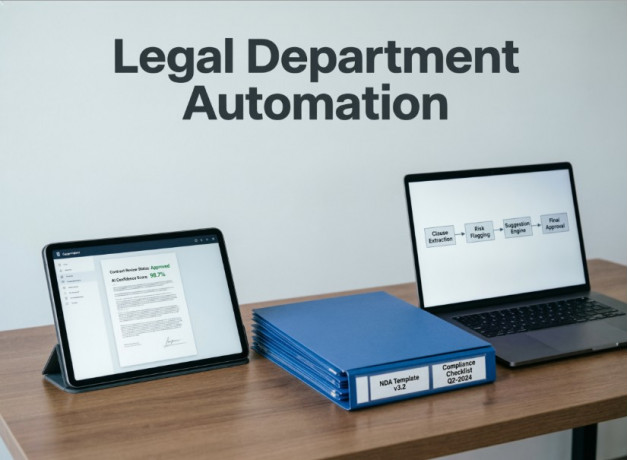
Legal departments operate in a high-stakes environment. Contract errors, missed deadlines, and inefficient workflows can result in significant financial and reputational damage. Yet many organizations still rely on email, spreadsheets, and scattered document repositories to manage critical legal processes.
Automation helps reduce risks, improve transparency, and free legal professionals from routine administrative work. However, successful implementation requires more than selecting the right software—it also demands effective change management.
Why Legal Department Automation Is Challenging
Unlike many business functions, legal operations carry a high cost of error. Even a small mistake in a contract or a missed approval deadline can have serious consequences for the organization.
Common challenges include:
- High compliance and contractual risks.
- Manual and repetitive workflows.
- Fragmented document storage.
- Overloaded legal teams.
- Limited visibility into process status and performance.
For these reasons, legal automation requires a thoughtful and structured approach.
Common Mistakes at the Start
Lack of Clear Objectives
Many projects begin without defined goals or measurable KPIs. Without clear success metrics, it becomes difficult to evaluate outcomes or justify further investment.
Trying to Automate Everything at Once
Attempting a full-scale transformation from day one often leads to delays, increased costs, and user frustration.
Ignoring End Users
When lawyers are not involved in selecting and configuring the system, adoption becomes a challenge. Employees are more likely to resist changes they did not help shape.
No Process Owner
Every automation initiative needs a responsible stakeholder within the legal department who can coordinate the project, communicate with vendors, and drive results.
What to Do Before Launching the Project
Audit Existing Processes
Document current workflows, including:
- contract lifecycle management;
- claims and dispute handling;
- litigation management;
- internal approvals;
- document storage and retrieval.
This helps identify bottlenecks and improvement opportunities.
Set Priorities
Start with two or three processes that involve the highest volume of work or carry the greatest risk.
Appoint a Process Owner
This person will serve as the link between the legal department, business stakeholders, and the software provider.
Define Measurable Goals
Examples include:
- reducing contract approval time by 50%;
- lowering document error rates;
- increasing process transparency;
- reducing manual workload.
Choosing the Right Automation Platform
When evaluating solutions, consider more than just functionality. Long-term vendor partnership and support are equally important.
Key selection criteria include:
- workflow customization capabilities;
- user-friendly interface;
- integration with existing systems;
- data security and compliance;
- quality of customer support;
- experience in legal technology projects.
The right platform should simplify legal work rather than add complexity.
Involve the Team Early
Engage Legal Professionals from the Beginning
Lawyers understand the challenges of their daily work better than anyone else. Their input is essential for defining system requirements.
Train Before Go-Live
One of the most common mistakes is postponing training until after deployment. Users should be comfortable with the new system before launch.
Collect Continuous Feedback
The first months after implementation are critical. Frequent feedback helps improve adoption and identify necessary adjustments quickly.
Implement Gradually
Successful automation projects typically follow four stages.
1. Pilot Phase
A small group of users tests the system and provides feedback.
2. Expansion
After validating the pilot, the solution is rolled out to additional teams and processes.
3. Integration
The platform is connected with other business systems to create a unified digital environment.
4. Optimization
Teams use performance data to identify bottlenecks and continuously improve workflows.
This phased approach minimizes risk and enables data-driven decision-making throughout the project.
Change Management: The Key to Success
Employee resistance is a natural part of any transformation initiative.
Common reasons include:
- fear of losing control;
- lack of understanding of the benefits;
- increased workload during the transition;
- concerns about new technology.
To improve adoption:
Explain the Benefits
Show every team member how automation will make their work easier and more effective.
Allow Time for Adaptation
Running old and new processes in parallel during the transition period can reduce stress and build confidence.
Celebrate Early Wins
Highlight improvements such as faster approvals, fewer errors, and greater transparency.
Measuring the Impact
Without measurable metrics, it is impossible to demonstrate the value of automation.
Typical outcomes include:
- up to 50% reduction in contract approval time;
- 2x increase in productivity;
- up to 85% process visibility within a centralized system;
- fewer operational errors;
- greater transparency across legal operations.
Baseline metrics should be established before implementation and monitored regularly afterward.
Key Takeaways
Legal department automation is not simply an IT initiative—it is a transformation of how people work.
To maximize success:
- start with clear goals and KPIs;
- involve legal professionals early;
- implement in phases;
- appoint a project owner;
- continuously measure results.
Technology can significantly improve legal operations, but lasting success depends on the team's willingness to embrace new ways of working.