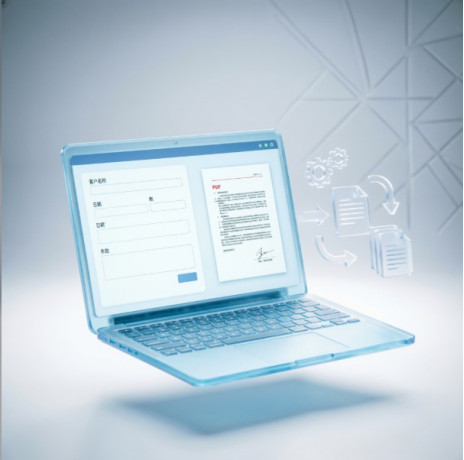
Document Automation: How to Create Document Generators Without Programming on the Botman.one Platform
Almost every organization deals with the need to prepare standardized documents every day. Contracts, additional agreements, acts, powers of attorney, HR documents, applications, commercial proposals, personal data processing consents — the list can go on indefinitely.
Despite the development of digital technologies, many companies still create such documents manually: an employee opens a Word template, copies it, replaces details, removes unnecessary clauses, and checks whether the date or company name has been changed correctly.
This approach inevitably leads to errors, increases document preparation time, and creates additional workload for legal and administrative departments.
That is why document creation automation is becoming one of the most important areas of business digital transformation today.
This approach is not limited to large corporations. Document generators are successfully used by small companies, law firms, banks, real estate agencies, HR departments, insurance companies, educational organizations, and government institutions.
In this article, we will explore how document preparation automation helps reduce time costs, minimize errors, and improve employee productivity. We will also show how to create your own document generator without programming using the Botman.one platform.
Why Manual Document Preparation Is No Longer Efficient
In many companies, the document creation process has remained almost unchanged for decades.
An employee opens a folder with templates, searches for the required file, copies it, replaces customer information, removes unnecessary sections, changes amounts and details, and then sends the document for review.
Even when well-designed Word templates are used, this process remains repetitive and time-consuming. The more complex the document, the higher the risk of mistakes.
A single incorrect company name, wrong passport information, or an outdated contract clause can require the entire document to be recreated.
Another problem is the growing number of templates.
Companies often create separate files for every possible situation:
- supply agreements;
- service contracts;
- rental agreements;
- contracts with individuals;
- contracts with legal entities;
- contracts with prepayment conditions;
- contracts with installment payments;
- agreements with guarantees.
Over time, the number of templates can grow into hundreds of files.
Any legislative change or internal corporate requirement then requires updating multiple documents, which increases the risk of inconsistencies.
This is why traditional Word templates are gradually being replaced by intelligent document generators.
What Is a Document Generator?
A document generator is a software solution that automatically creates a finished document based on information provided by a user.
Instead of manually editing text, an employee answers a series of questions:
- Who are the parties to the agreement?
- What services are provided?
- Are additional obligations required?
- Which payment method applies?
- What is the contract duration?
- Are special clauses needed?
The system then automatically inserts company details, selects required sections, performs calculations, and generates a ready-to-use document.
This is the foundation of modern automated document generation.
Why a Document Generator Is Better Than a Standard Word Template
A regular Word template can only replace individual fields. All other actions still have to be performed manually.
A modern document generator can do much more.
It can:
- automatically add or remove document sections;
- select appropriate wording depending on user answers;
- calculate amounts, percentages, penalties, and deadlines;
- create attachments;
- generate multiple related documents;
- validate entered information;
- retrieve data from external systems.
Therefore, document composition automation is no longer just about replacing text in a template. It is an intelligent document preparation system.
Document Template Automation
Most organizations already have dozens or even hundreds of Word templates. There is no need to completely rewrite them.
With the Botman.one platform, existing Word templates can be transformed into intelligent document generators without software development.
This enables full document template automation.
Templates can include:
- text variables;
- conditional sections;
- repeating blocks;
- calculated values;
- automatic selection of wording options;
- complex logical conditions.
As a result, instead of maintaining dozens of separate files, a company can use one universal template that automatically generates the required document version.
Automated Document Filling
One of the most time-consuming operations is repeatedly entering the same information.
Company names, tax numbers, addresses, bank details, passport information, and representative details often have to be entered again and again.
Automated document filling eliminates this repetitive work.
Botman.one can retrieve information from:
- user questionnaires;
- Google Sheets;
- DaData service;
- corporate information systems via API;
- CRM systems;
- external services.
This significantly reduces errors and speeds up document preparation.
The approach is especially effective for automated creation of standard documents, where an employee only selects a customer or organization and all required information is inserted automatically.
Automation of the Document Creation Process
Creating a document is rarely limited to generating a Word file.
In practice, the process usually includes several stages:
- collecting information;
- checking required fields;
- retrieving data from reference systems;
- selecting contract conditions;
- calculating values;
- generating the document;
- sending it for approval;
- registering it;
- delivering it to the customer.
That is why companies are moving beyond simple document creation automation toward full document creation process automation, covering the entire document lifecycle.
Where Document Generators Can Be Used
One of the key advantages of Botman.one is the flexibility of publishing created services.
After developing a document generator, it can be used through different communication channels.
Website Widget
A document generator can be embedded into a company website as a widget.
Visitors open a webpage, answer a short questionnaire, and immediately receive a ready document.
This approach is ideal for:
- contracts;
- applications;
- powers of attorney;
- personal data processing consents;
- commercial proposals;
- other self-service documents.
Corporate Portal or Intranet
If the generator is intended for employees, it can be integrated into an internal corporate portal or intranet system.
Employees receive a unified tool for preparing:
- HR documents;
- internal orders;
- service notes;
- contracts;
- applications;
- other standard documents.
Only approved and up-to-date templates are used, which improves document quality and compliance.
Telegram, MAX, and VK Chatbots
Employees and customers do not always want to use a browser.
For mobile users, messengers are often the most convenient option.
Botman.one allows the same document generator to be published as a chatbot in:
- Telegram;
- MAX;
- VK.
The chatbot asks questions, collects information, automatically generates a Word document, and sends it back to the user.
The same workflow can operate across multiple messengers without developing separate solutions.
This approach is especially useful for:
- legal companies;
- real estate agencies;
- insurance organizations;
- service companies;
- banks;
- sales representatives;
- remote employees.